

20-Minute Mentors

How to Create an AI Tutor for Your Class

In this 20-Minute Mentor, John Orlando shows how to build course-aligned AI tutors that give students on-demand support while reducing faculty workload.

Purchase Options

How to Create an AI Tutor for Your Class

Students often need timely, individualized support—but instructors can’t always be available, and providing one-on-one help can quickly add to an already heavy workload. As a result, students may struggle when questions arise outside class, while faculty feel stretched trying to offer consistent, accessible support without sacrificing time for teaching, research, or mentoring.

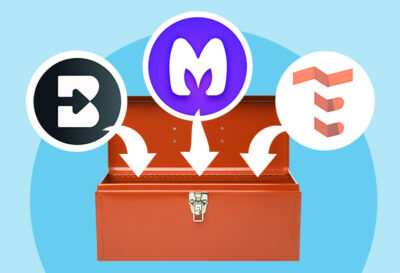
In this 20-Minute Mentor, John Orlando, PhD, shows how instructors can create course-aligned AI tutors that give students on-demand help without adding technical complexity or extra work. Through practical examples using tools like Perplexity, MagicSchool, and TeacherServer, you’ll learn a step-by-step process for designing, testing, and sharing AI tutors that provide explanations, visuals, practice questions, and feedback. This program demonstrates how thoughtfully designed AI support can boost engagement and accessibility while reducing repetitive tasks—freeing you to focus on more meaningful interactions with students.

After viewing this Magna 20-Minute Mentor, participants will be able to: 

  • Design a course-aligned AI tutor using clear instructions and defined learning boundaries
  • Configure an AI tutor to use approved course materials and avoid external sources
  • Apply prompt engineering strategies to shape tutoring interactions and feedback
  • Evaluate AI tutor performance across common student-use scenarios
  • Implement an AI tutor to support student learning

TOPICS COVERED 

  • The role of AI tutors in supporting student learning
  • Core components of an AI tutor, including task definition, persona, output, and context
  • Using course-specific materials to constrain and guide AI tutoring responses
  • Examples of AI tutors that provide explanations, visuals, practice, and feedback
  • Overview of educator-friendly AI platforms for building and sharing tutors

AUDIENCE

This program will benefit:

  • Faculty teaching online
  • Instructional designers and learning experience designers
  • Center for Teaching and Learning (CTL) staff
  • Faculty developers
  • Department chairs and program directors
  • Academic administrators
  • Educational technology specialists

Product Code: PM26BA

Campus Access License

With the purchase of the optional Campus Access License, registrants are granted a license to download the program contents to a password-protected network, server, or website for additional staff use. You will receive information on downloading the contents of the program within 3-5 business days after payment has been received by Magna.

Meet Your Presenter

Purchase Options

*On-demand access begins on date of purchase.

If you are not completely satisfied with your purchase, you may cancel the order within 30 days of purchase and receive a full refund.

More Resources

20-Minute Mentors

Group Subscription Options